
Installing Logicrom on PlatformIO
PlatformIO IDE
PlatformIO IDE is the next-generation integrated development environment for IoT. More information about PlatformIO.
Quick Installation steps for PlatformIO IDE
Download and install official Microsoft Visual Studio Code. PlatformIO IDE is built on top of it.
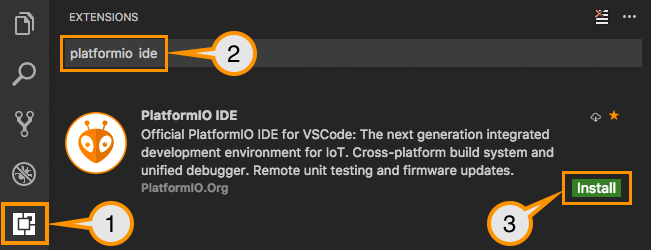
Open VSCode Package Manager.
Search for the official PlatformIO ide extension
Install* PlatformIO IDE.
Installing Logicrom Platform
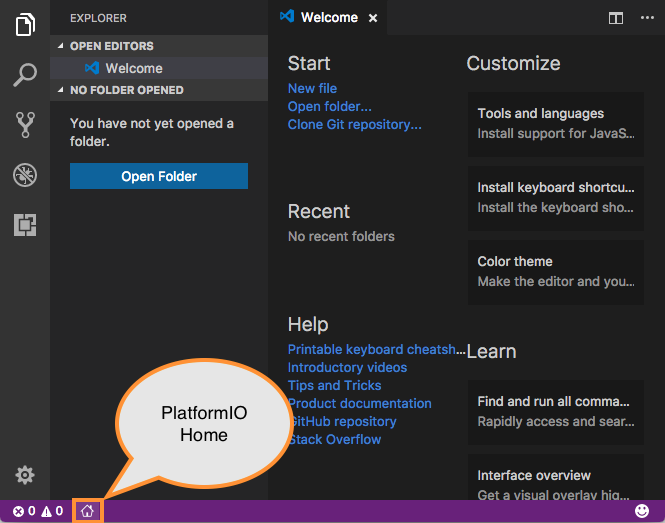
Click on “PlatformIO Home” button on the bottom PlatformIO Toolbar
Click on “Platforms” Button on the left sidebar of PlatformIO Home.

On Platforms Page, Click on “Embedded” button on the top toolbar.

Type “Logicrom” in the search box as shown, and click on “Logicrom Development Platform”.

On Logicrom Platform page, Click install button as shown.
You have successfully installed Logicrom Platform
