
Creating Project in PlatformIO using Arduino Framework
Setting Up the Project
Go to “Projects” from PlatformIO Home and click “Create New Project” button.
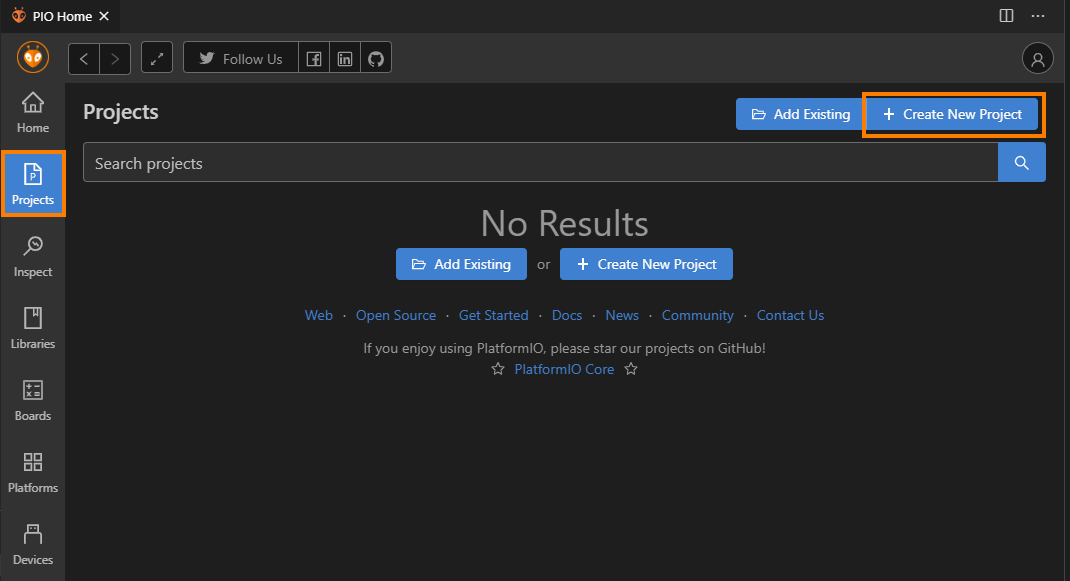
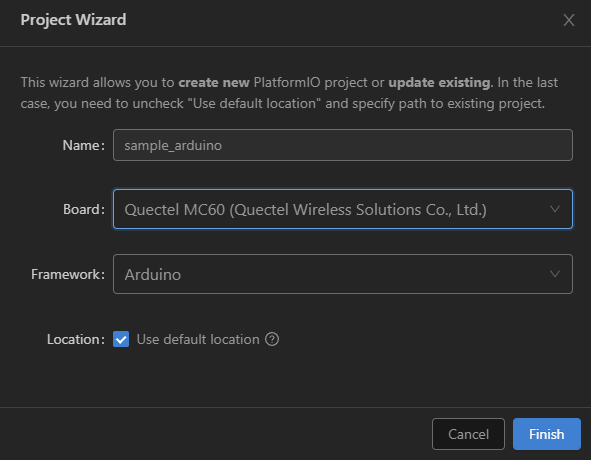
Configure Project settings: * Name: Name of project * Board: Select board from dropdown * Framework: Select from “Arduino” frameworks * Location: To use custom location, un-check “Use default location” and select project folder. * Click finish to create project.
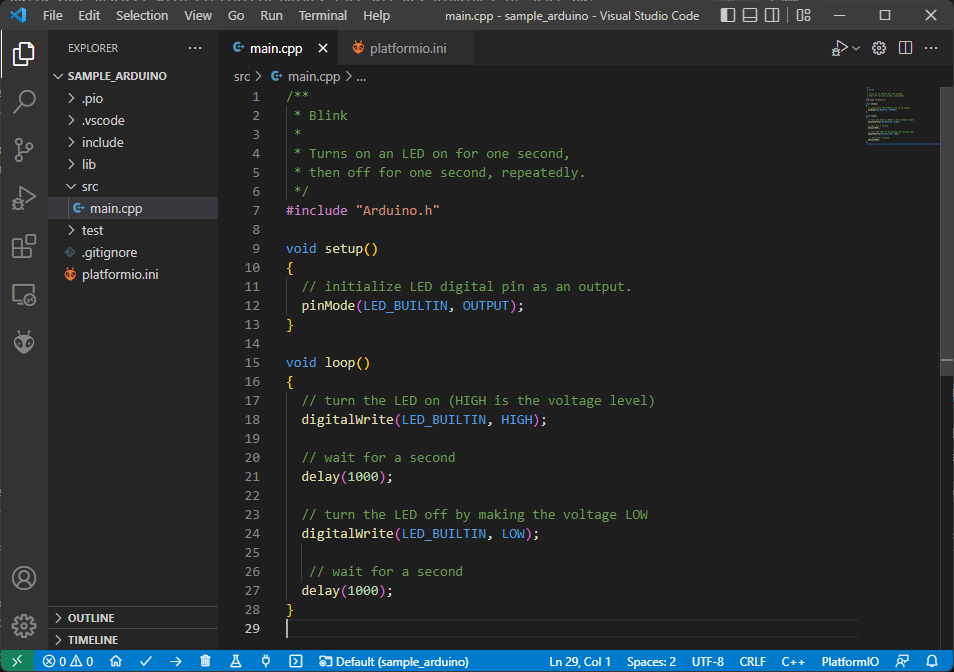
Open
main.cppfile formsrcfolder and replace its contents with
/**
 * Blink
 *
 * Turns on an LED on for one second,
 * then off for one second, repeatedly.
 */
#include "Arduino.h"

void setup()
{
  // initialize LED digital pin as an output.
  pinMode(LED_BUILTIN, OUTPUT);
}

void loop()
{
  // turn the LED on (HIGH is the voltage level)
  digitalWrite(LED_BUILTIN, HIGH);

  // wait for a second
  delay(1000);

  // turn the LED off by making the voltage LOW
  digitalWrite(LED_BUILTIN, LOW);

   // wait for a second
  delay(1000);
}
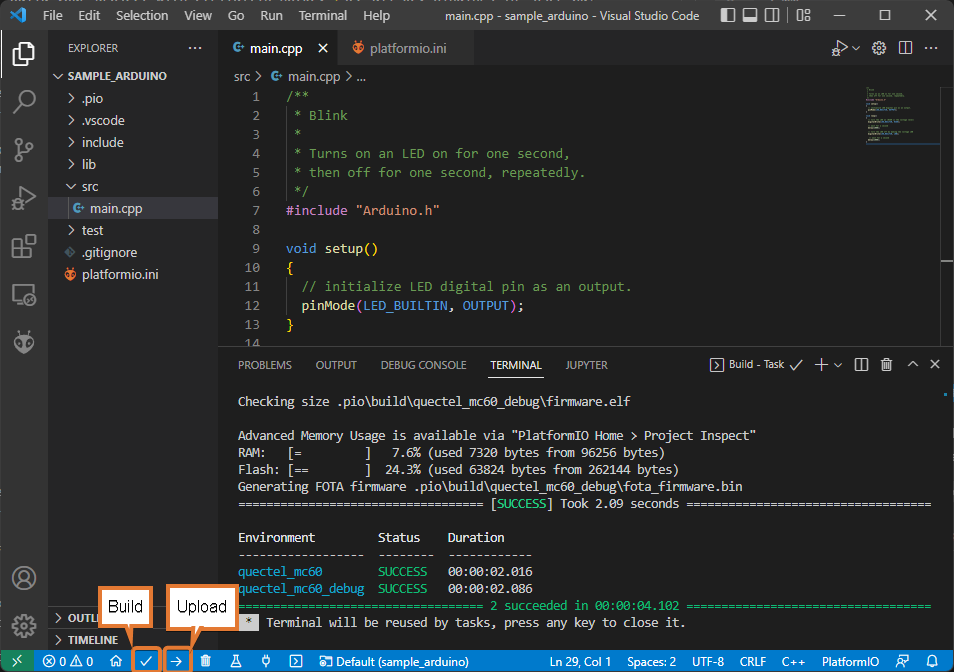
Build your project with ctrl+alt+b hotkey (see all Key Bindings in “User Guide” section below) or using “Build” button on the PlatformIO Toolbar.
Serial Port Configuration
To setup serial port for upload and monitor, You can edit project configuration file platform.ini
in project source tree.
[env:quectel_mc60]
platform = logicrom
board = quectelmc60
framework = arduino

; Upload Port
upload_port = COM1
upload_speed = 921600 ; Default is 460800

; Monitor Port
monitor_port = COM2
monitor_speed = 115200
Setting Debug Build Environment
User can add extra configuration in platform.ini to build project against
logicromsdk debug library.
; Debug env
[env:quectel_mc60_debug] ; Env Name
platform = logicrom
board = quectelmc60
framework = arduino

build_type = debug ; Build Type
debug_build_flags = -Os -g2 ; Extra flags for build
Each environment in platform.ini file has its own task list which can be executed from “Project Task”
list as shown below.
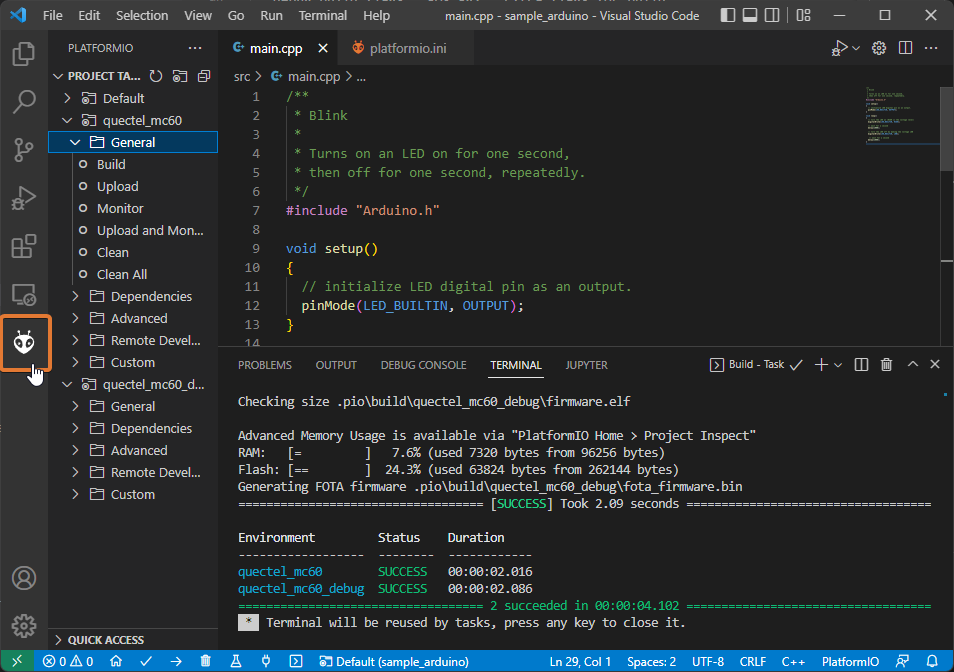
User can add as many configuration as needed, with different boards etc. using same source.
For advanced configuration settings of platform.ini Please refer official documentation of PlatformIO:
https://docs.platformio.org/en/latest/projectconf/index.html#projectconf