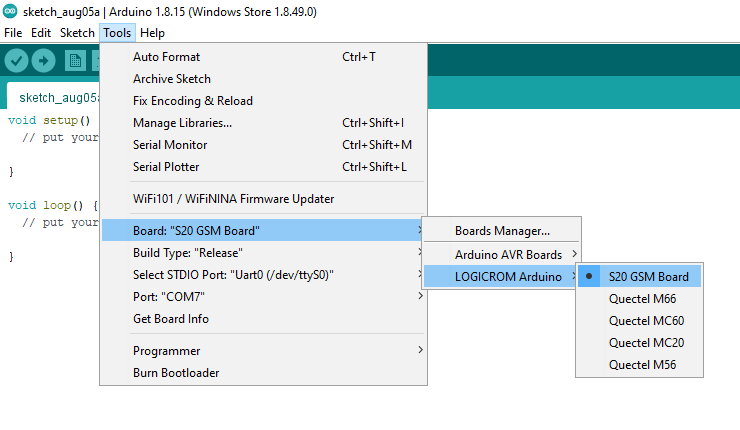
Installing Logicrom on Arduino IDE
Arduino IDE
The open-source Arduino Software (IDE) makes it easy to write code and upload it to the board. More to read about Arduino IDE:
Installing Logicrom Platform
Download and Install Arduino IDE from Arduino website
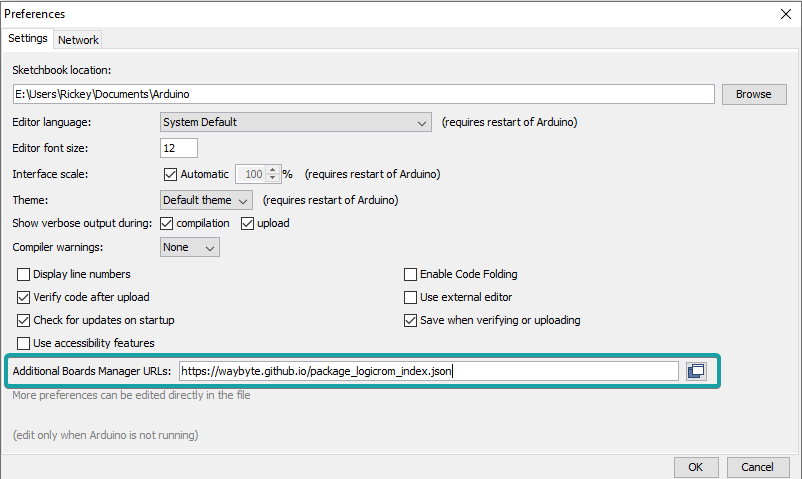
Open Arduino IDE, Go to File > Preferences
Add Logicrom Boards URL to Additional Board Manager URLs and click OK.
https://waybyte.github.io/package_logicrom_index.json
Go to Tools > Board > Board Manager
In search box, type “Logicrom”
Click Install button for Logicrom Arduino Boards.
Select your GSM board from board manager under “Logicrom Arduino”